
Usage & Metrics
See how your AI assistant is using DataToRAG — calls, latency, errors, and per-tool breakdowns.
Every tool call your AI assistant makes through DataToRAG is logged to your personal usage dashboard at datatorag.com/dashboard/usage. You can see what ran, how fast it was, and where errors are happening.
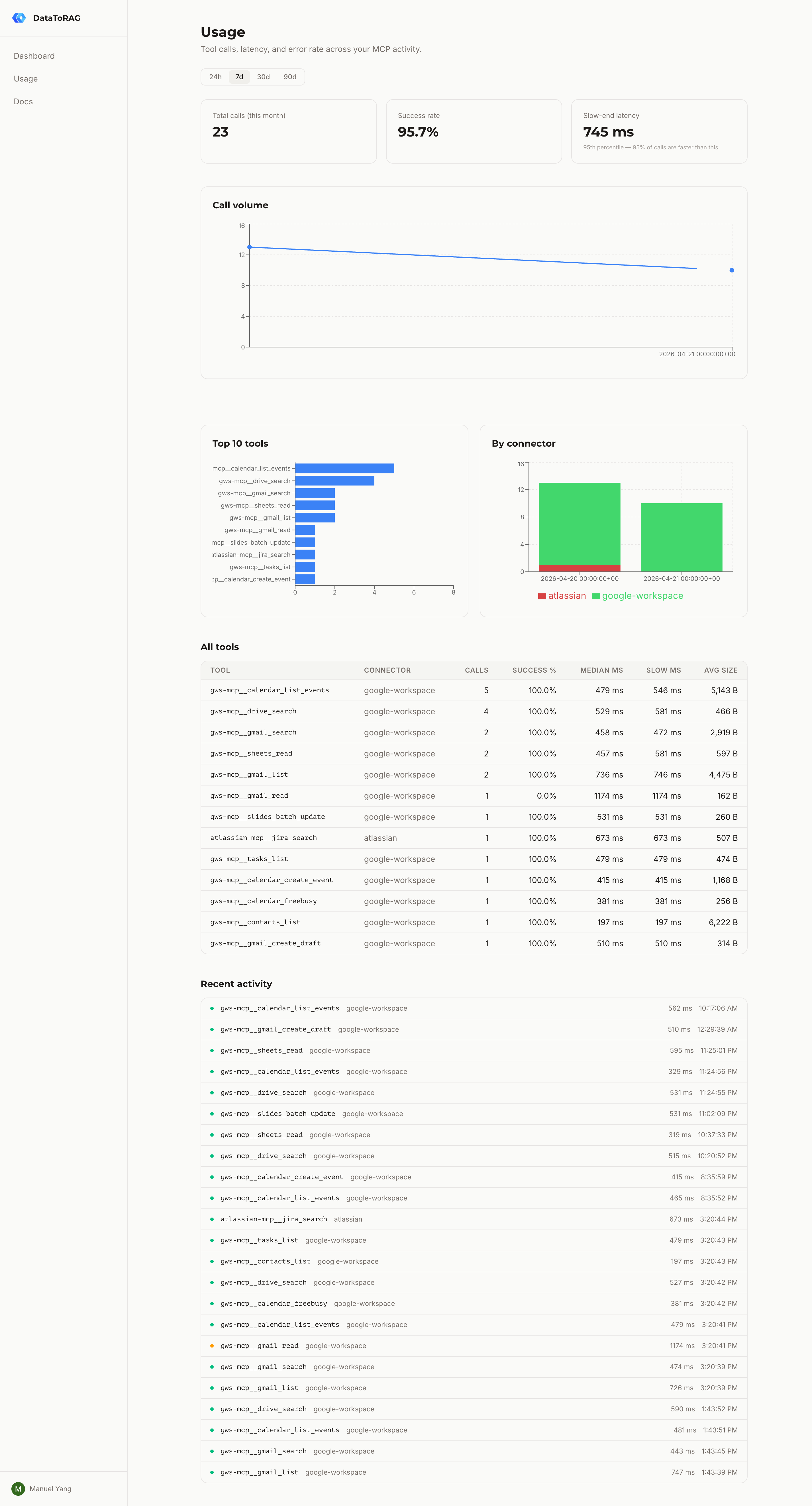
What you see
The dashboard shows four things:
- Summary cards — total calls this month, success rate, median latency, and slow-end latency (the p95 — the speed you get on a bad day)
- Call volume over time — hourly buckets for 24h and 7d ranges, daily for 30d and 90d
- By connector — stacked breakdown of calls across Google Workspace, Atlassian, and anything else you've connected
- Per-tool table — every tool you've called, with call count, error count, and median latency. Click a row to drill down
The drill-down page shows the last 50 calls for a single tool — when it ran, the status, latency, and any error message.
What gets logged
For every tool call we record the tool name, connector, outcome (success / user error / server error), latency, and response size. We log when a call happened but not what it did — arguments and responses are never stored.
If a call fails with an error message from the upstream API (for example, "Gmail message not found"), we store that error string after running it through a PII redactor. The redactor strips emails, Google Drive IDs, and long quoted strings before the row is written.
What counts
Not every call is counted the same way:
- Successful calls — counted. Your AI asked Gmail to search, Gmail returned results, you got what you wanted.
- User errors — counted. You asked for a message that doesn't exist, a query with bad JQL, a file you don't have access to. The request reached the API and came back with a legitimate "no."
- Server errors — not counted. If our gateway is down, a plugin crashes, or an upstream API has a 5xx outage, that's not your problem and we don't meter it.
Playground calls from the dashboard don't count either.
Retention
Raw events are kept for 90 days. After that they're replaced by daily rollups — one row per day per tool with call count, error count, and latency percentiles. The rollup job runs every night at 02:00 UTC.
This means you can always see the shape of your usage going back, but we're not holding onto per-call detail forever.
Rate limits
Dashboard API requests are limited to 120 per minute per user. If you hit that, you'll get a 429 with a Retry-After header telling you how long to wait. Tool calls through the MCP endpoint aren't limited by this — the rate limit only applies to the dashboard's own read APIs.
Privacy
- We never log request arguments or tool responses
- Error messages are redacted for emails, IDs, and quoted content before storage
- Every row is scoped to your user ID — other users can't see your data
- If you delete your account, all your usage rows go with it