
Claude Can Read Your Google Docs. It Can't Edit Them.
Ask Claude to read your quarterly report in Google Docs. It reads it. Ask Claude to fix the typo in paragraph three. It gives you the corrected text and tells you to paste it into the doc.
That's the shape of the native Google Drive connector in Claude. Read any Google Workspace file, edit none of them.
The specifics: Claude reads Google Docs directly, exports Sheets to CSV so it can parse the cells, and exports Slides as plain text so it can extract the content. Anything Claude generates lands as a brand-new Claude-created file in your Drive, which requires code execution to be turned on. Comments on existing documents, edits to a sentence, appending a row to a sheet, fixing a typo on slide 4. None of that happens from the connector.
DataToRAG's connector reads the same surfaces and writes back to every one of them.
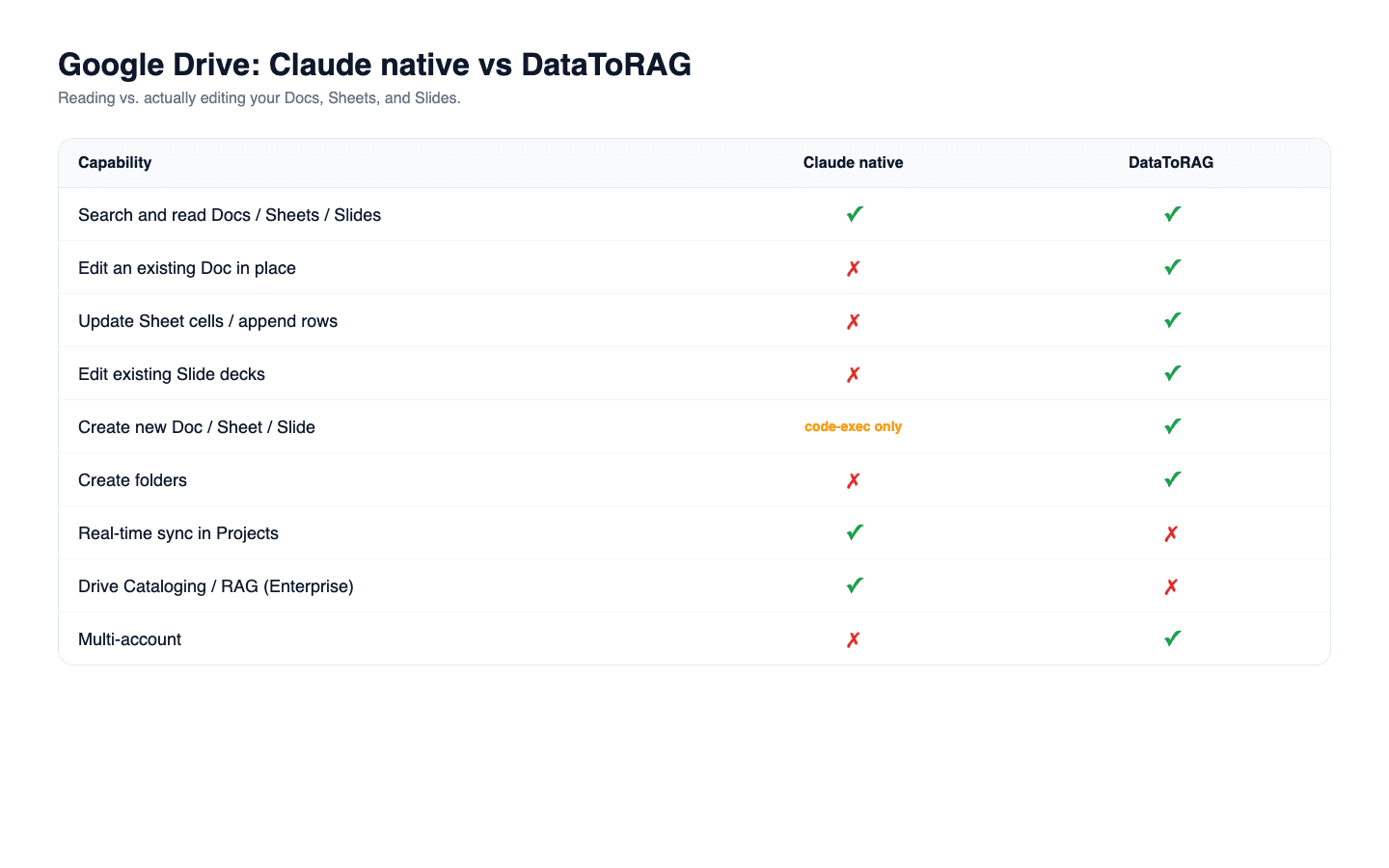
Feature comparison
| Capability | Claude native Google Drive | DataToRAG Google Workspace |
|---|---|---|
| Search and read Google Docs, Sheets, Slides | Yes | Yes |
| Edit an existing Google Doc in place | No | Yes |
| Update Sheet cells or append rows | No | Yes |
| Edit an existing Slides deck | No | Yes |
| Create a new Doc, Sheet, or Slide | Only via code execution | Yes |
| Create folders in Drive | No | Yes |
| Add comments to files | No | No |
| Real-time sync of Docs in Claude Projects | Yes | No |
| Drive Cataloging / RAG indexing (Enterprise) | Yes | No |
| Multi-account (work + personal Google) | No | Yes |
The write side of the connector
docs_write: create new Google Docs with structured content.docs_batch_update: apply a sequence of programmatic edits (insert, delete, format) to an existing Doc.sheets_update: write values to specific ranges.sheets_append: add rows at the end of a sheet.sheets_create: create new sheets seeded with data.slides_create: create decks from a structured spec.slides_batch_update: edit existing decks (change text, update shapes, swap content).drive_create_folder: organize, don't just dump files at the root.
The difference isn't "more tools." It's that a workflow that starts with reading a doc can end with editing that same doc. The conversation doesn't have to terminate in "here's the output, go paste it yourself."
Three workflows that become possible
Doc editing. Read a Google Doc, fix typos, restructure sections, and save the changes back to the same doc. One source of truth. No fork of the text floating around in a chat transcript.
Sheet automation. Pull numbers out of an email, append a row to a tracking sheet, update another cell that feeds a dashboard. A weekly-report workflow that runs end to end with zero copy-paste.
Deck updates. Read a slide deck, change "Q1" to "Q2" everywhere, update three data labels, swap a title. Claude's connector reads the text of the deck. Ours rewrites it in place.
What Claude's connector is good at
Reading and searching. If all you want is "summarize this 40-page contract" or "find the doc where we agreed on the new pricing," the native connector handles it cleanly, cites sources, and syncs Docs added to a Project in real time. The limitation only hurts when you want to act on what you read.
Enterprise users also get Drive Cataloging, which indexes content with RAG for fuzzy search across a large corpus. DataToRAG doesn't do that. If your workflow is "search across 50,000 documents," Claude Enterprise is the right tool.
If your workflow is "read one doc, change three sentences, save," DataToRAG is.
The prompt that reveals the gap
Try this: "Read my Q2 roadmap Doc, add a new section titled 'Customer feedback themes,' and list our top five themes from recent customer emails."
On the native connector, the answer is text you paste. On DataToRAG, the answer is the Doc itself, updated, with a link.
Try it
Connect your Google account at datatorag.com/dashboard.
Related articles
The native Claude Gmail connector writes drafts into your Drafts folder and stops there. DataToRAG fills the gap: send, reply, forward, label.
Claude's Calendar Connector Works. Unless You Have Two Calendars.Calendar is the one place where Claude's native Google connector and ours have feature parity. The gap is single-account vs. multi-account.
Save Gmail Attachments to Drive with ClaudeA team was running an Apps Script to save 6 daily report emails to Drive. We replaced it with one prompt.