
Claude Can Draft Your Email. It Can't Send It.
Every time I've watched someone use Claude with their Gmail, the same moment happens. They ask Claude to write a reply. Claude writes a good reply. They squint at the screen and then say, "okay, how do I… send this?" And the answer is: you can't. Claude put the draft in your Drafts folder. You have to open Gmail, click into Drafts, click Send.
That's not a bug. It's the design intent of Claude's native Gmail connector. The connector reads your inbox and drafts messages into Drafts, and it will not send anything. It also doesn't have Gmail's gmail.modify scope, so it can't label threads, mark messages read, or move them between folders. There's an open bug about the missing scope on the Anthropic repo.
The design goal is safety: you review every outbound action. The result is that every email workflow ends with Claude handing you a sticky note saying "the draft is waiting in Gmail."
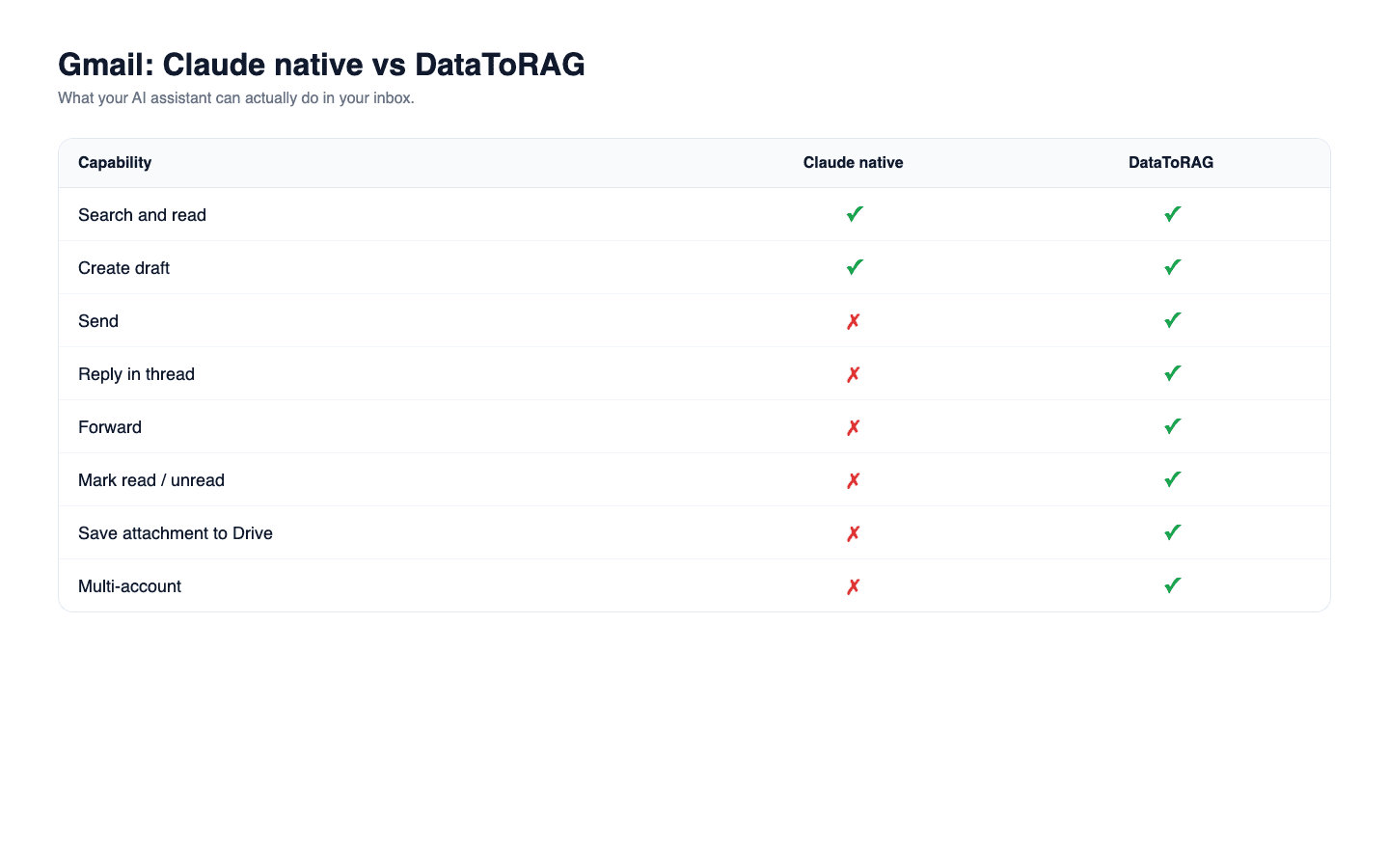
Feature comparison
| Capability | Claude native Gmail | DataToRAG Gmail |
|---|---|---|
| Search and read messages | Yes | Yes |
| Create a draft in Drafts folder | Yes | Yes |
| Send a new message | No | Yes |
| Reply within a thread | No | Yes |
| Forward a message | No | Yes |
| Mark messages read or unread | No | Yes |
| Label or archive threads | No | Yes |
| Save attachment to Drive server-side | No | Yes |
| Multi-account (work + personal Gmail) | No | Yes |
What DataToRAG's Gmail connector adds
DataToRAG ships the full set of Gmail verbs:
gmail_send: compose and deliver a new message.gmail_reply: reply within a thread, keeping the subject and thread context intact.gmail_forward: forward a message with an optional note.gmail_create_draft,gmail_update_draft: when you do want the review gate.gmail_mark_read: close inbox items after acting on them.gmail_save_attachment_to_drive: move attachments server-side so the binary doesn't touch your conversation context.
The LLM already requires your approval before calling a tool. Making the tool not actually do the thing isn't an extra layer of safety; it's extra friction for the same outcome.
What Claude's connector is genuinely good at
Reading and searching. If you ask "what did my director email me about last week," Claude's connector finds the thread, cites it, and summarizes it. Nothing wrong with that. The limitation isn't "Claude can't see Gmail." It's "Claude can't finish the workflow."
Where the gap bites
Consider a common customer-support loop: read incoming customer emails, draft replies, send them. With the native connector that looks like this: Claude reads (fine), Claude drafts (fine), you open Gmail, you click into Drafts one by one, you click Send on each. Claude did the hard part (drafting) and you did the repetitive part (the clicking).
With DataToRAG: Claude reads, drafts, sends. Same conversation. One approval per message if you want checkpoints, or an approved-by-default workflow if you trust it.
Labels are the second gap. Any workflow shaped like "label these threads 'needs-follow-up' and archive the rest" can't be done by the native connector because gmail.modify isn't in its scope set. DataToRAG has it.
The minute that should exist
Try this prompt on your setup: "Read the last five emails from our biggest customer and reply to each with a short acknowledgement."
On the native connector, Claude drafts five emails and leaves them in Drafts. You spend the next three minutes clicking through Gmail sending them.
On DataToRAG, the replies are sent before you finish reading Claude's confirmation message.
Try it
Connect your Google account at datatorag.com/dashboard. The switch is worth two minutes.
Related articles
Calendar is the one place where Claude's native Google connector and ours have feature parity. The gap is single-account vs. multi-account.
Claude Can Read Your Google Docs. It Can't Edit Them.Claude's native Google Drive connector is effectively read-only. DataToRAG lets Claude write Docs, update Sheets, and edit Slides in place.
AI-Powered Email Workflows with the Gmail Draft ToolMost AI email tools generate and send in one shot. We built a draft workflow instead, because anything that matters deserves a second look before it leaves your outbox.